
Connect in a Few Simple Steps
Pair your compatible KILIG appliance and keep its controls close at hand.
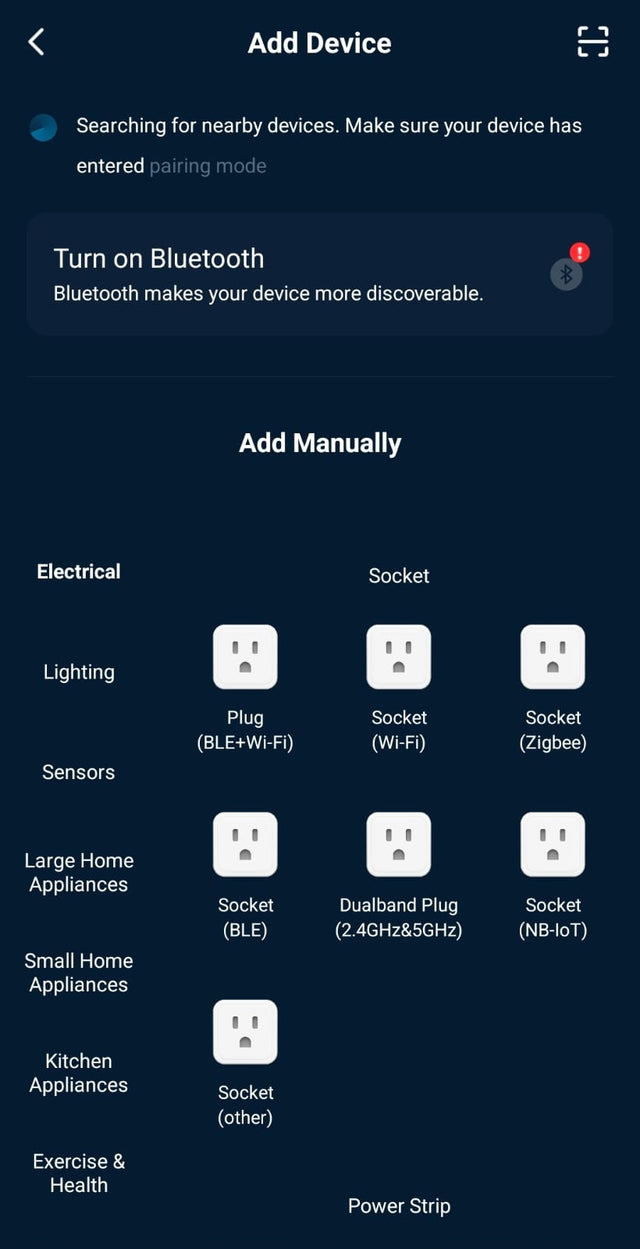
Add Appliance → Select category → Find nearby → Connect to Wi‑Fi → Connected
MEET MYKILIG
Connect, control, and cook with compatible KILIG appliances all from the MyKilig app.


Pair your compatible KILIG appliance and keep its controls close at hand.
Add Appliance → Select category → Find nearby → Connect to Wi‑Fi → Connected
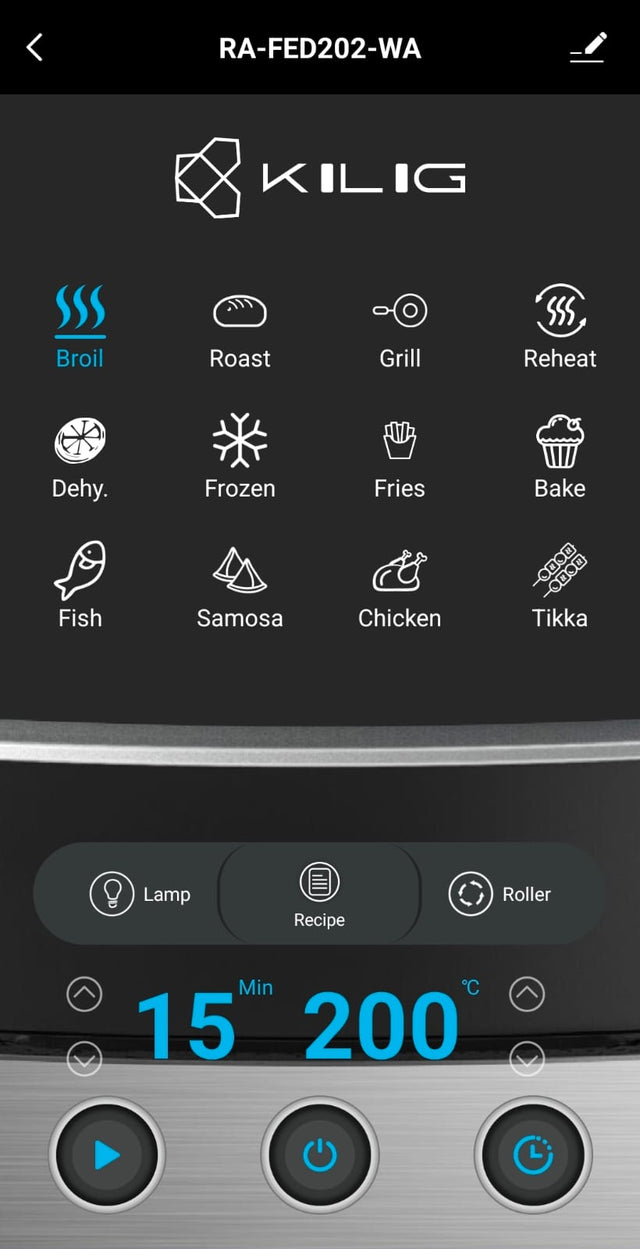
Adjust supported cooking settings and follow the current appliance status from your phone.
Try the controlsVisual demonstration only — not connected to a real appliance.
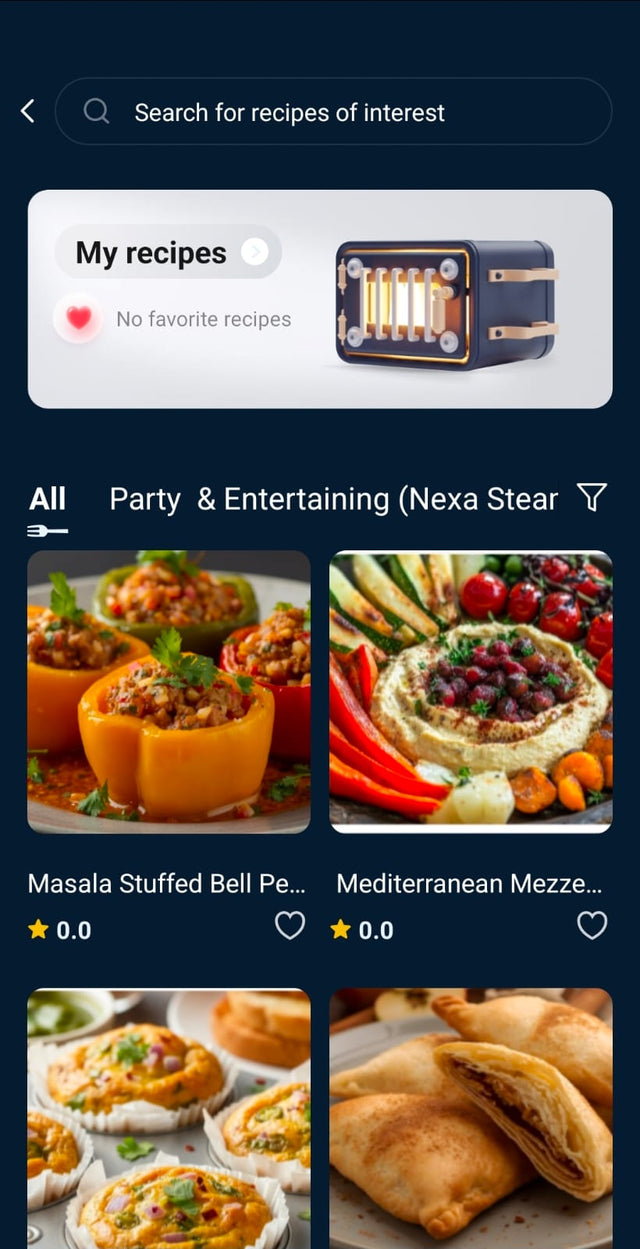
Explore easy Indian and global recipes designed for compatible KILIG appliances.


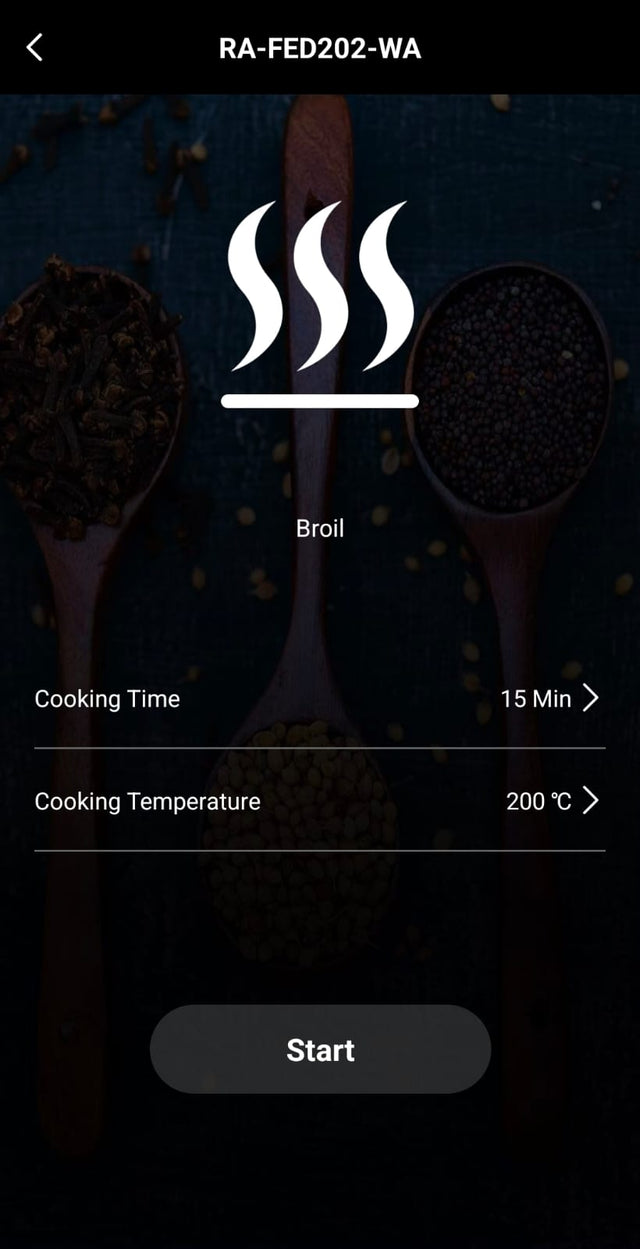
Compatible recipes can load supported time and temperature settings directly into your connected appliance.
Compatible controls and recipe functions vary by appliance model.
Follow supported cooking stages and receive useful reminders at the right time.
Preheating → Cooking → Shake reminder → Almost ready → Complete
Select a feature to see it in the app. Feature availability varies by model.
Adjust supported cooking settings and view your appliance status from the MyKilig app.
Follow step-by-step recipes designed for compatible KILIG appliances, with supported settings ready to go.
Receive useful cooking alerts and reminders at the right time, so nothing overcooks while you get on with your day.
Save the recipes your family loves and find them again in seconds.
Look back at what you cooked and repeat successful settings with one tap.
Let family members use supported controls from their own phones.
Available on supported models — check your product page.Use supported voice assistants for hands-free help with compatible appliances.
Available on supported models — check your product page.Download MyKilig for connected controls, guided recipes and useful cooking updates.

★ Loved by KILIG families across India
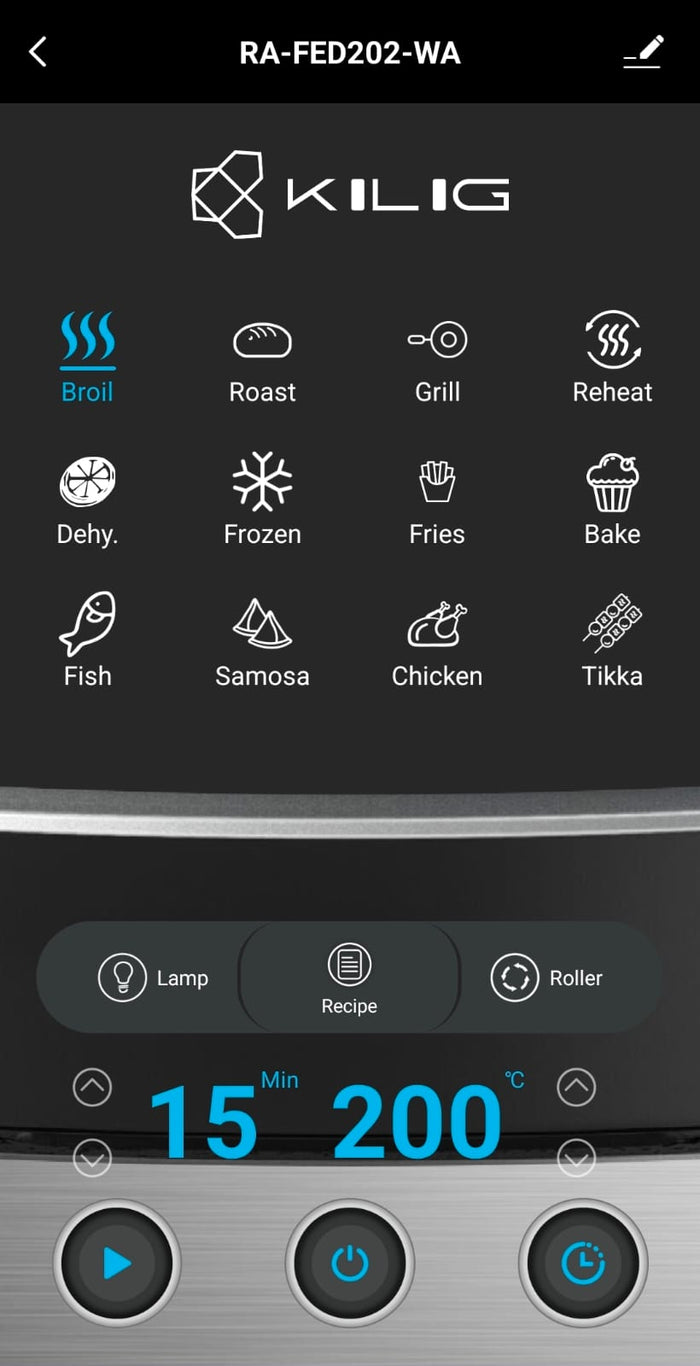
MyKilig is the companion app for compatible KILIG appliances — connect, control supported settings, explore recipes and receive cooking updates.
Compatibility varies by model. Use the checker above, or refer to your product page or user manual for confirmed compatibility.
On compatible appliances you can adjust supported settings such as presets, temperature and time, and view cooking status. Supported functions vary by model.
Yes — MyKilig includes guided Indian and global recipes designed for compatible KILIG appliances, with favourites you can save.
On supported models, compatible recipes can load supported time and temperature settings into your connected appliance. Feature availability varies by model.
Family access is available where supported. Check your appliance's product page for details.
Voice control is available on supported models with compatible voice assistants. Refer to your product page for confirmed support.
MyKilig is designed for both Android and iOS devices. Download links are available in the section above.
Check that your phone and appliance are on the same 2.4 GHz Wi‑Fi network, restart the appliance, and try pairing again. If it still doesn't connect, contact KILIG support.
The model number is printed on the rating label — usually on the base or rear of the appliance — and on the box and user manual.


